
ASPEN

Aspen by Newsoft is a Windows-based software for slope stability analysis using limit equilibrium methods, with detailed modeling of geometry, stratigraphy, and groundwater conditions. It supports excavations, loads, and stabilization measures such as walls, anchors, and geogrids for evaluating different design scenarios. The Automatic Search Analysis identifies the most critical slip surface by iteratively minimizing the factor of safety with graphical feedback. Aspen covers the full workflow from modeling to analysis and reporting, with exports to CAD, documents, and PDF.
Download DocumentationAspen by Newsoft is a Windows-based program for slope stability analysis using the classical limit equilibrium methods. It allows an accurate definition of the surface profile, internal stratigraphy, and the hydrostatic regime produced by phreatic or pressured water tables.
Excavations, backfills, and surface water basins can be inserted or removed in the model easily, as can distributed loads and structural consolidation measures such as walls, sheet piles, geogrids, and anchors. This makes it simple to create varied slope configurations corresponding to different in-situ conditions or intervention scenarios.
The user can also define either generic or circular slip surfaces, assigning them individually or across a network of centers, and perform simultaneous analysis on them. For more accurate screening, the user can activate the automatic search analysis: starting from an initial slip surface, the program searches for equilibrium configurations with decreasing safety factor until a local minimum is reached, visually showing the evolution of the search process.
The program includes all functions needed to support the entire design process—from data input and graphical model checking to performing the analysis and printing results and drawings. It can interface with CAD environments via the DXF format and with word processing applications via the RTF format. If a PDF virtual printer is installed on the operating system, the report and drawings can also be exported to PDF.
The Automatic Search Analysis in Aspen is a numerical procedure used to automatically identify the most critical slip surface, that is, the one associated with the minimum factor of safety.
Starting from an initial trial surface defined in the analysis options, the software iteratively modifies the geometry of the surface, progressively converging toward a configuration that yields a lower safety factor. During the process, the evolution of the slip surface is shown graphically, allowing the user to visually follow how the mechanism changes as the analysis proceeds.
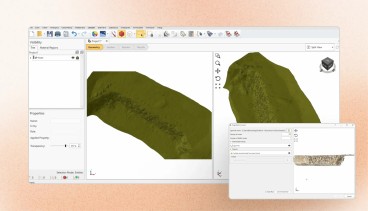
The analysis is launched through a dedicated command, which opens a control window showing the initial surface and providing simple controls to start the calculation and manage the results. Once the automatic search is completed, the final surface and its factor of safety are clearly reported, together with a comparison to the initial condition.
The identified critical surface can then be saved and stored as an assigned slip surface, making it available for further analyses or comparisons. If the surface is not already defined by existing nodes, Aspen automatically generates the necessary geometry to represent it as a polygonal surface.
Overall, this function allows the user to efficiently and reliably locate the most unfavorable failure mechanism without manually testing multiple slip surfaces, improving both accuracy and productivity in slope stability analyses.
| Category | Slope Stability Analysis , Landslides , Numerical & Constitutive Modeling , Risk & Reliability , Slope Stability , Slope Stabilization , Soil Mechanics , Visualization , Earth Retaining Structures , Seismic , Geosynthetics , Geotechnical Earthquake Engineering , Seismic Slope Stability |
| Licence Type | Commercial |
| Operating Systems | Windows 10, Windows 8, Windows 7, Windows 11 |
| Current Version | 6.x |
| Developer | Newsoft sas [https://www.newsoft-eng.it] |
| Developer Website | https://www.newsoft-eng.it/Software/Aspen |
| Developer Email | [email protected] |


Recommended Software

GEOSTASE Slope Stability Analysis

KeyLogBook


GEO5 FEM – Earthquake

GEO5 Slope Stability – Water Flow

Related Software


News on Software
On This Day
August 25th 1970
READ MORE